Edit Bucket
Bucket Settings
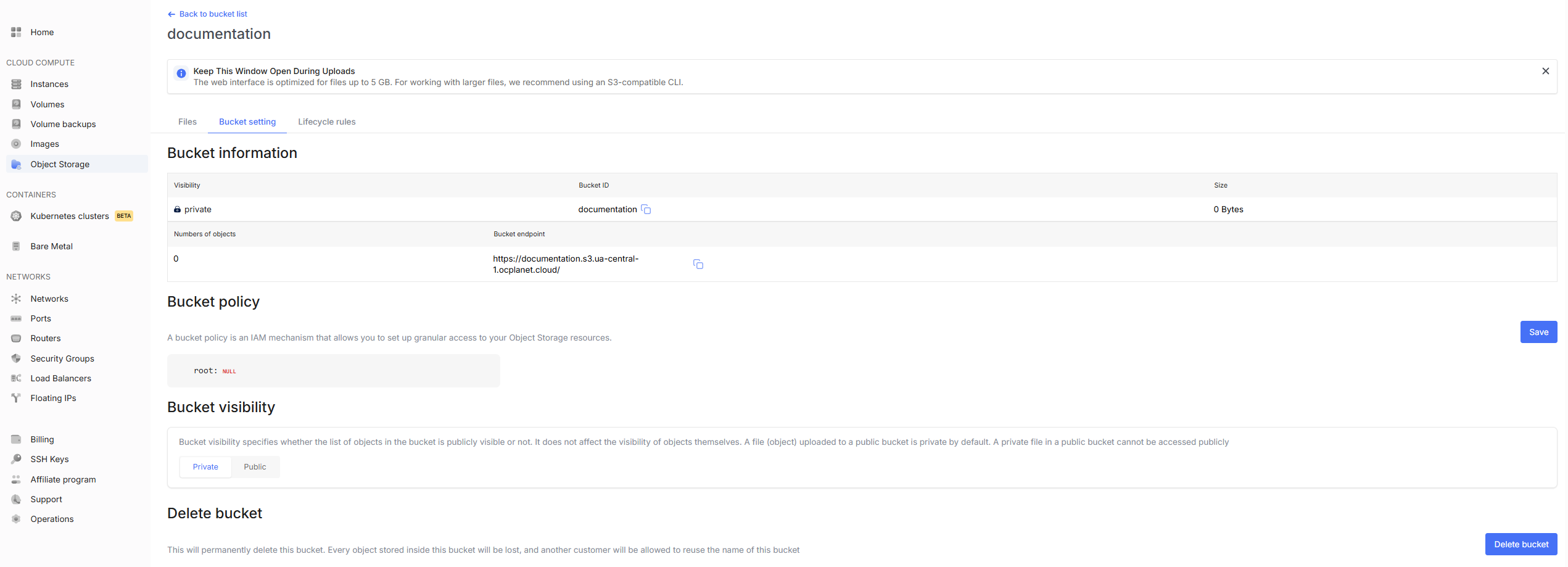
- In the settings tab you will find 4 sections:
Bucket Information — shows the bucket ID and its endpoint.
Bucket Policy — here you can configure detailed access to your Object Storage resources.
Available types:
null — Value is absent / not set (default).
string — Text string (e.g., resource name).
number — A number.
boolean — True/false (true / false).
object — Nested object with fields.
array — Array (list of values).
Bucket Visibility — can be changed from private to public and vice versa.
Delete Bucket — will delete the bucket itself and all data stored in it. This action is irreversible. Deletion will also free up the bucket name, allowing another user to use it afterwards.
Lifecycle Rules
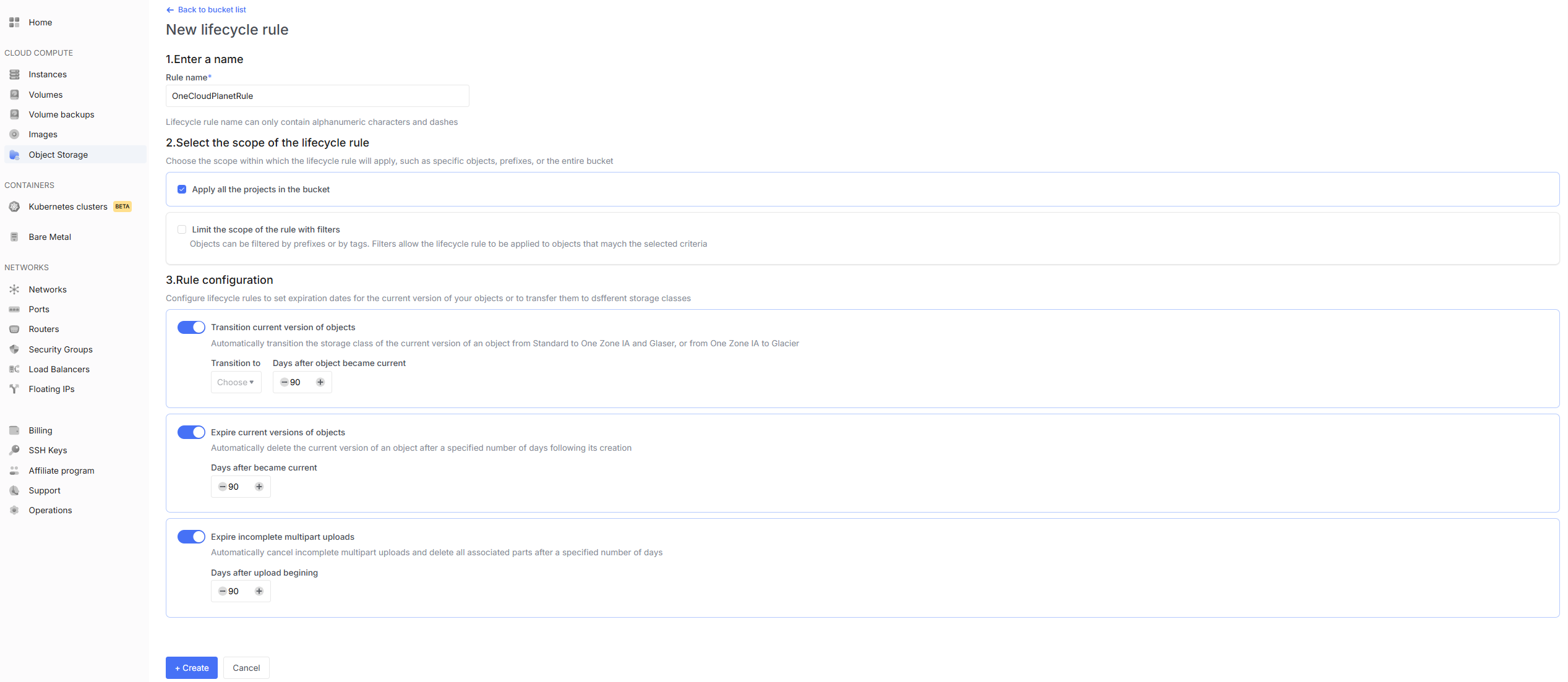
- To create your first rule, click the corresponding button on the right.

- In the next window enter a name, select the rule scope and configure the settings, then click Create.
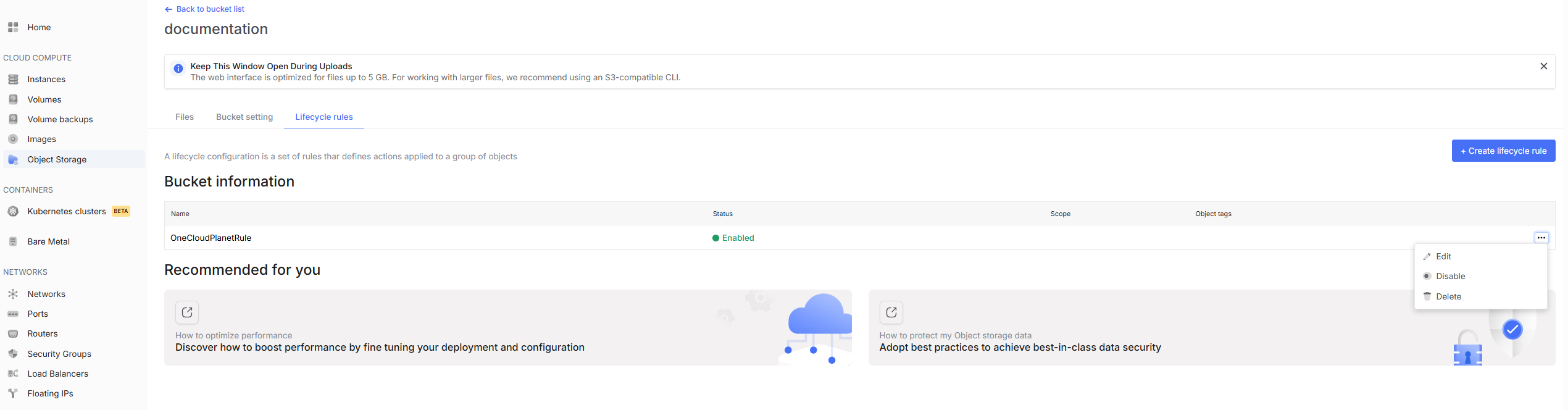
All created rules will be listed on the Lifecycle Rules page.
Clicking on the three dots next to a rule allows you to edit, enable/disable or delete it.